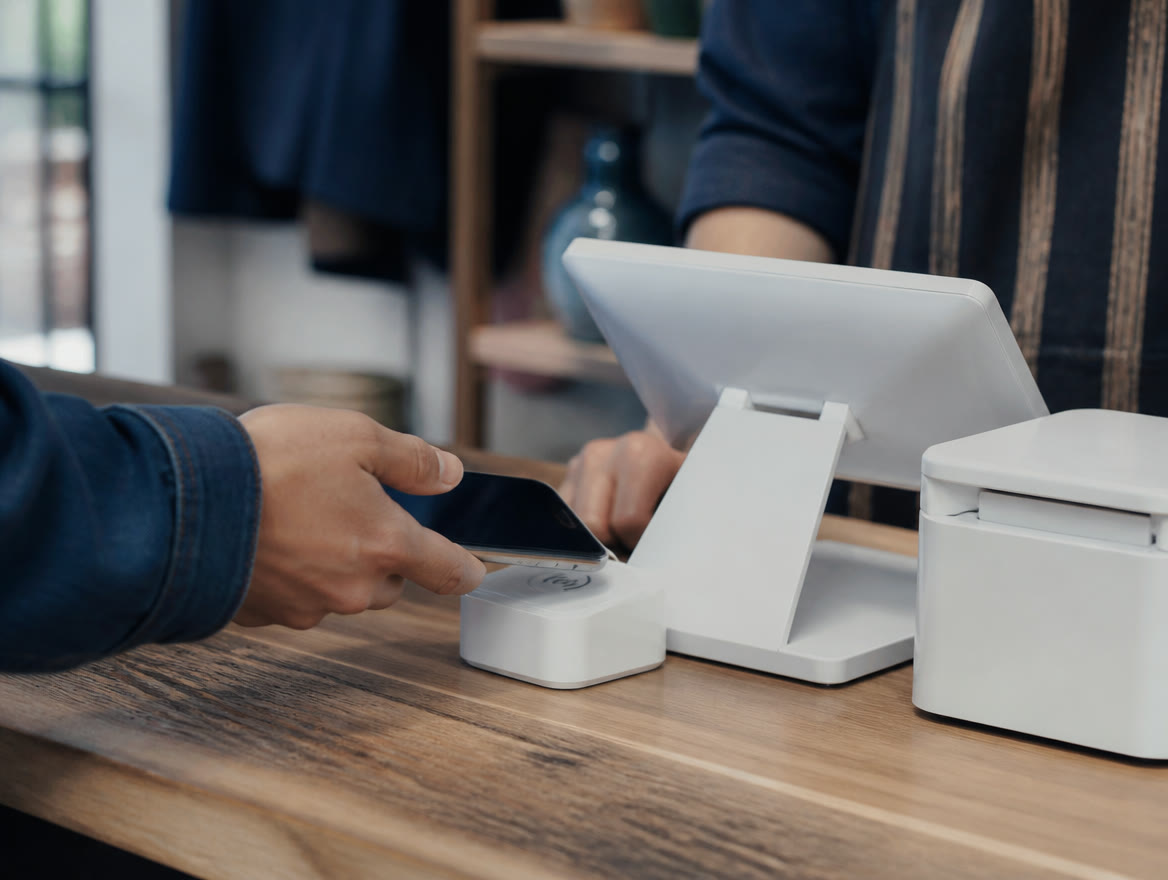
The Square POS system for small business is a free point-of-sale app that runs on Square hardware, an iPad or your phone, with modes for restaurants, retail, appointments and services, plus online sales, invoices, payroll and banking in one account. Per Square’s published pricing, checked October 2026, Square Free is $0, Square Plus $49 and Square Premium $149 per month per location, with in-person card rates of 2.6%, 2.5% or 2.4% plus 15¢. For a small business that wants one system for every way it sells, it’s a strong fit. Lone Star Payments helps you choose, sets it up with you and supports you from Dallas / Ft. Worth.
What is Square POS, and what does the whole system include?
Square POS is Square’s point-of-sale app plus everything that plugs into it. It runs on Square devices, a compatible iPad, or an iPhone or Android phone, and every plan includes all of its modes: restaurants, retail, services and beauty. Here’s the system at a glance, with the plan limits that matter.
| Piece | What it does | Plan notes | Go deeper |
|---|---|---|---|
| Restaurants | Menus, kitchen screens, kiosks, QR and tableside ordering | Kitchen display, kiosk, QR and tableside ordering need Plus or Premium; coursing and seat management are Premium only | Square for Restaurants |
| Retail | Variants, barcode labels, stock counts, purchase orders | Square lists low-stock alerts on every plan, but inventory tracking, purchase orders and label printing need Plus or Premium | Square for Retail |
| Appointments | 24/7 booking site, reminders, deposits, staff calendars | Booking site and reminders on every plan; no-show fees need Plus or Premium | Square Appointments |
| Service businesses | Estimates, invoices, contracts, payments in the field | Unlimited invoices, plus estimates and contracts, on every plan; milestone payments need Plus or Premium | Square for Services |
| Hardware | Readers, Terminal, Stand, Kiosk, Handheld, Register, kitchen screens | Sold separately; Tap to Pay needs no reader | Square Hardware and Reader and Tap to Pay |
| Online | Website, online store, restaurant online ordering | Website builder has no monthly fee on Square Free; your own domain needs Plus or Premium | Square Online |
| Invoices and links | Invoices, payment links, Virtual Terminal for phone orders | No monthly fee for payment links or Virtual Terminal | Square Invoices |
| Payroll and team | Payroll, schedules, timecards, tip pooling | Full-service payroll is an add-on at $35/month + $6 per person paid (contractor-only: $6 per person paid); team tools need Plus or Premium | Square Payroll |
| Banking and loans | Checking, savings, debit card, loans | Square Banking is included on every plan; loans are by invitation | Square Banking and Loans |
| Marketing and loyalty | Loyalty, email and text campaigns, gift cards | Customer directory on every plan; loyalty and marketing need Plus or Premium | Square Marketing and Loyalty |
Square doesn’t sell plan features one at a time. If the tool you need lives in Square Plus, you pay for the whole plan at every location.
Is the Square POS system for small business a good fit for you?
For a lot of Texas small businesses, yes. Square works best when you want one system for in-person, online and invoiced sales, no long contract, and a simple published rate. Square says its standard rates are designed for businesses processing under $250,000 a year. It fits businesses like these:
- Counter-service food: Coffee shops, bakeries, food trucks and quick-service counters get offline payments for up to 24 hours, self-order kiosks (Plus or Premium, plus a per-device app fee) and a commission-free online ordering profile. Comparing systems? Read how to choose a restaurant POS.
- Boutiques and specialty retail: Boutiques, gift, apparel, liquor and convenience stores get item variants, barcode scanning, age-verification prompts for alcohol and tobacco, and an online store built from the same item library. Stock tracking, purchase orders and barcode labels need Plus or Premium. For the bigger picture, see what a retail POS should track.
- Salons, barbers and spas: A free booking site that takes appointments around the clock, automated reminders and deposits. Cancellation and no-show fees need Plus or Premium.
- Contractors and home services: Estimates that convert to invoices, e-signature contracts and payments in the field. Square even offers a downloadable Texas home improvement contract template.
- Pop-ups and seasonal sellers: Square Free has no monthly fee, your first magstripe reader is free, and Tap to Pay works on a phone you already own.
- Growing multi-location owners: Square Free lets you add locations at no extra cost, with one item library and customer directory synced across them. Inventory tracking and multi-location stock management need Plus or Premium, billed per location.
Pick the plan for its features first. On processing alone, Square Plus covers its $49 fee at about $49,000 a month in in-person card sales, or about $12,250 a month in online and invoice card payments; see the cost math below.
Who is Square POS not a good fit for?
Square isn’t right for everyone, and because we sell other platforms, we don’t have to pretend it is. In these cases, we’d price an alternative first. For head-to-head detail, see Square vs Clover, Square vs Toast and Square vs Stripe.
- Higher-volume card businesses: Square’s published rates are flat: one rate for every major card brand, whatever your volume. Above $250,000 a year, Square invites you to ask about custom pricing, and our dual pricing program or another processor we carry may cost less, so get both quotes and compare. Our fees guide has flat rate vs. interchange-plus explained.
- Full-service dining on a budget: Coursing and seat management are Square Premium features, published at $149 per location per month, and each kitchen display adds a monthly app fee. Price it against Clover and the other restaurant systems we sell first.
- Phone-order businesses: Keyed-in and card-on-file payments carry Square’s published rate of 3.5% + 15¢ on every plan. If most sales come in by phone, that rate drives your cost more than the plan does.
- Locations with shaky internet: Offline payments work for up to 24 hours, then they’re declined if the device hasn’t reconnected, and the seller carries that risk. Tap to Pay can’t take offline payments, and Square Handheld is Wi-Fi only.
Already on an older Square legacy subscription? Square says that once you move to Square Free, Plus or Premium, you can’t switch back. Compare costs before you click.
How much does a Square POS system cost?
Three things make up the cost: the monthly plan, the processing fee on each payment, and any hardware or add-ons. The figures here are Square’s published US pricing, checked October 2026. Square can change them, so confirm current rates on Square’s pricing page or in your Square Dashboard. Our Square fees page breaks out every rate.
Other published charges worth knowing: cards issued outside the US add 1.5%, Afterpay costs 6% + 30¢, and instant or same-day transfers cost 1.95% per transfer (a $2,000 instant transfer costs $39), while next-business-day transfers are free. Square lists no fee for chargebacks, PCI compliance support or early termination.
Here’s the plan math as plain arithmetic, assuming $40,000 a month in in-person card sales across 1,600 transactions (a $25 average ticket). That’s $480,000 a year, past the $250,000 mark where Square says its standard rates stop being designed for you and invites a custom-pricing conversation, so treat these as published-rate figures and get a quote too.
- Square Free: 2.6% of $40,000 is $1,040, plus 15¢ × 1,600 = $240, with no plan fee: $1,280 a month, or 3.2% of sales.
- Square Plus: 2.5% of $40,000 is $1,000, plus $240, plus the $49 fee: $1,289 a month.
- Square Premium: 2.4% of $40,000 is $960, plus $240, plus the $149 fee: $1,349 a month.
- Break-even: Each step up saves 0.1% of in-person sales. Plus covers its $49 fee at $49,000 a month, and Premium covers its extra $100 over Plus at $100,000 a month. Both break-evens sit above $250,000 a year, where Square invites businesses to ask about custom pricing.
- Small tickets: At a $10 average ticket, 2.6% + 15¢ comes to 41¢, or 4.1% of the sale. The 15¢ weighs more as tickets shrink.
| Cost | Square Free | Square Plus | Square Premium |
|---|---|---|---|
| Monthly plan fee | $0 per location | $49 per location | $149 per location |
| Tap, dip or swipe | 2.6% + 15¢ | 2.5% + 15¢ | 2.4% + 15¢ |
| Online and invoice card payments | 3.3% + 30¢ | 2.9% + 30¢ | 2.9% + 30¢ |
| Keyed-in or card on file | 3.5% + 15¢ | 3.5% + 15¢ | 3.5% + 15¢ |
| ACH bank transfer on invoices | 1%, $1 minimum | 1%, $1 min, $10 cap | 1%, $1 min, $10 cap |
| Square KDS app | Not available | $30/month per device | $20/month per device |
| Square Kiosk app | Not available | $50/month per device | $30/month per device |
| Gift card load fee | 2.5% | 2.5% | 0% |
| Phone support | Weekdays 6 a.m.–6 p.m. PT (8–8 Central), first 90 days | Weekdays 6 a.m.–6 p.m. PT (8–8 Central) | 24/7 |
| Free trial | No subscription | 30 days | 30 days |
Bill more than you ring up? Square Plus drops the published online and invoice card rate from 3.3% + 30¢ to 2.9% + 30¢, so its $49 fee is covered at about $12,250 a month in online or invoiced card payments. Or ask us for a free side-by-side cost review on your actual volume.
Which Square hardware does your business actually need?
Start with how you sell. A food truck, a salon chair and a boutique counter need different things, and with Tap to Pay some need no hardware at all.
You buy hardware from Square Shop or a retailer. Square’s own devices carry limited warranties from six months (magstripe reader) to two years (Register); printers, cash drawers and the MicroTouch kitchen display screens are warrantied by their manufacturers, with Square taking claims only on locked kitchen screens. Square Shop orders get 30-day returns; retailer purchases follow the retailer’s policy. Square also offers financing, issued by Block, Inc. at 15% APR on purchases from $49 to $10,000, subject to credit approval. We help you choose, then pair and configure it all. Our Square hardware guide and card reader page go deeper.
| Device | Published price | Best for | Good to know |
|---|---|---|---|
| Tap to Pay on iPhone or Android | No hardware; Square’s Tap to Pay pages list 2.6% + 15¢ per tap | Pop-ups, markets, an extra line on busy days | Contactless only; iPhone XS or newer, or most NFC Android phones on Android 9+ (restaurant use supports fewer Android models); no offline payments |
| Square Reader (contactless and chip) | $59 | Mobile sellers with a phone or tablet | Bluetooth; tap and chip, no swipe |
| Square Reader for magstripe | First one free, then $10 | Swipe backup and gift cards | One free reader per account |
| Square Stand | $149, iPad not included | Counter checkout on an iPad | Swivels to the customer; fits 10.9-inch and most 11-inch iPads |
| Square Kiosk | $149 plus the Kiosk app fee | Self-ordering at quick-service counters | Needs an iPad and a Kiosk app plan: $50/month (Plus) or $30/month (Premium) per device |
| Square Terminal | $299, or $27/month over 12 months | All-in-one card machine with a printer | Tap, chip and swipe; battery or plugged in |
| Square Handheld | $399, or $37/month over 12 months | Tableside orders, line-busting, stock counts | Barcode scanner and camera built in; Wi-Fi only |
| Square Register | $899, or $44/month over 24 months | Busy counters that want two screens | Seller and customer displays; plugged in at all times; two-year warranty |
| Kitchen display screens | $749 (15.6-inch) or $899 (21.5-inch) | Replacing paper kitchen tickets | Plus a KDS app fee: $30/month (Plus) or $20/month (Premium) per device |
Price the whole station, not just the device. A Kiosk needs an iPad and an app fee, a Stand needs an iPad, and Square Terminal needs the Hub for Square Terminal, sold separately, for Ethernet or a USB cash drawer.
How do Square POS setup and training work with Lone Star Payments?
You can sign up for Square on your own. Where things go sideways is the build: a menu without modifiers, mismatched tax settings, untested tip screens, staff learning on a Friday night. That’s the part we do with you.
Square sells its own onboarding and implementation services through its sales team. Its implementation page lists on-site help in ten US cities, none in Texas, and says on-site service elsewhere may be possible with travel fees (checked October 2026). We cover Dallas / Ft. Worth in person and the rest of Texas remotely with a live specialist. Here’s how it runs; the full timeline is on our Square setup and support page.
- 1. Free cost review: We set Square’s published costs beside our other options for your actual card volume.
- 2. Plan and hardware: We help you choose Square Free, Plus or Premium, the right devices, and which add-on apps are worth paying for.
- 3. Account and build: You open your account with Square. Then we build it out with you: item library or menu, modifiers, taxes, tipping, team members and permissions.
- 4. Data import: Coming from another system? We import items and customer lists where Square supports it and rebuild what it doesn’t.
- 5. Hardware and online: We pair and configure devices, printers and cash drawers, and set up your Square website or online ordering.
- 6. Training and go-live: We train your staff and stay with you through go-live, on-site across Dallas / Ft. Worth or remotely anywhere in Texas.
- 7. Ongoing help: After launch, (214) 838-1818 reaches a real person in Dallas / Ft. Worth.
Set go-live for your slowest day of the week, and have staff ring a few test sales before the doors open. We’ll plan the timeline around it.
Who handles Square POS support after you go live?
Two parties. Here’s who does what. Your Square account is a Square account: Square sets the rates, approves the account, sends payouts, handles disputes and covers warranties on Square-made devices. Lone Star Payments doesn’t control any of that. We handle the how-to side and stay your local point of contact.
Square’s own support depends on your plan: chat and email on every plan, weekday phone support from 6 a.m. to 6 p.m. Pacific (8 a.m. to 8 p.m. Central) on Plus and for your first 90 days on Free, and 24/7 phone support on Premium.
| Question or task | Who handles it |
|---|---|
| Rates, plan billing, account approval and payouts | Square |
| Chargebacks and disputes | Square (it lists no fee for dispute management) |
| Hardware warranties and returns | Square for Square-made devices and Square Shop returns; the manufacturer for printers, cash drawers and other third-party accessories; the retailer for returns on retailer purchases |
| Menu, item, modifier, tax and tip changes | Lone Star Payments: we’ll make them with you or walk you through it |
| New staff, permissions and refresher training | Lone Star Payments |
| Adding a device, printer or location | Lone Star Payments helps you choose and configures it; you buy the hardware |
| “Is there a cheaper setup for us now?” | Lone Star Payments, with a free side-by-side cost review |
Square sets your account terms. If anyone, us included, promises a special Square rate, discounted Square hardware or guaranteed approval, ask to see it from Square in writing.
- Square POS is one account for in-person, online and invoiced sales, with restaurant, retail, appointment and service modes on every plan.
- Square’s published plans (checked October 2026, subject to change) are Free at $0, Plus at $49 and Premium at $149 per month per location, with in-person rates of 2.6%, 2.5% and 2.4% + 15¢.
- On published rates alone, Square Plus covers its $49 fee at about $49,000 a month in in-person card sales or about $12,250 a month in online and invoice card payments. Below those volumes you’re buying Plus for its features; past $250,000 a year, also ask Square for a custom-pricing quote.
- Square suits counter-service food, boutiques, salons, contractors and pop-ups. High-volume, phone-order and full-service operations should compare costs first.
- Lone Star Payments helps you choose, builds the setup with you, trains staff on-site across Dallas / Ft. Worth or remotely statewide, and answers at (214) 838-1818.
Frequently asked questions
Is Lone Star Payments a Square reseller or Square partner?
We offer Square to Texas businesses and handle the setup work around it, but your account is a Square account. We help you choose a plan and hardware, build your setup, train staff and answer questions afterward. Square opens and holds your account, sets the rates, approves accounts and sends payouts. We don’t sell Square hardware at a discount or offer special Square pricing.
Where can I get Square POS set up near me in Texas?
If you’re in Dallas / Ft. Worth, we come to you for on-site installation and staff training. Anywhere else in Texas, a live specialist sets up Square with you remotely, from the item library and tax settings to device pairing and training. Check our service areas, or call (214) 838-1818 to get on the schedule.
Is Square POS really free?
The Square Free plan has no monthly fee. You pay processing on each payment: 2.6% + 15¢ for in-person card payments, per Square’s published pricing checked October 2026. The Square Point of Sale app is free, and Tap to Pay needs no reader. Hardware, payroll and some apps cost extra, and loyalty or kitchen displays need a paid plan. Our guide to free POS systems covers the trade-offs.
How should I read Square POS reviews?
Check three things before you trust one. First, the date: Square replaced its separately priced subscriptions with the Free, Plus and Premium plans in October 2025, so older reviews may quote pricing new sellers can no longer get. Second, the plan the reviewer used, since many features sit in Plus or Premium. Third, the industry: a food truck owner’s review tells a salon owner very little.
Can I switch to Square from my current POS?
Usually, yes. Square supports bulk imports of items and customer lists, and it says retailers coming from systems like Lightspeed Retail or Shopify POS can bulk import their inventory. We run the import with you where Square supports it, rebuild what can’t come over, and time go-live for a slow day. Our guide to switching processors covers the rest.
Does Square POS require a contract?
No. Square advertises no locked-in contracts: you can cancel or switch plans anytime, and Square lists no early termination fee. Square Plus and Premium come with a 30-day free trial, and a downgrade takes effect at the start of your next billing cycle. Hardware is a separate purchase, and if you finance it through Square, that credit plan carries its own terms.
Want Square Set Up Right The First Time?
Call (214) 838-1818 or send us a note. We’ll run a free side-by-side cost review on your actual card volume, help you choose the Square plan and hardware, and set it up with you, on-site across Dallas / Ft. Worth or remotely anywhere in Texas.
Square and related marks are trademarks of Block, Inc., used here to identify the products Lone Star Payments offers. Square pricing and features described on this page are Square’s published information as of October 2026 and can change — confirm current terms when you sign up.