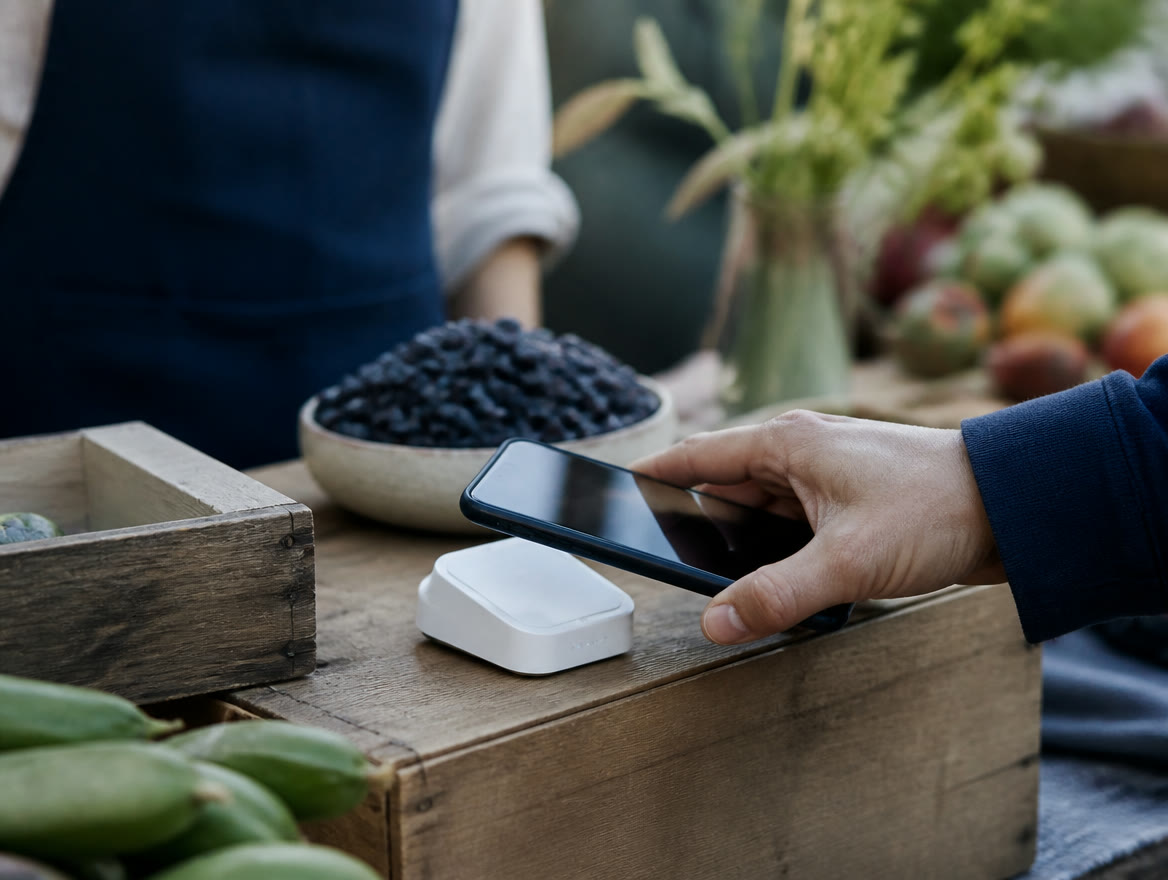
There are two Square card readers. The main one, the Square Reader for contactless and chip (2nd generation), is $59 and pairs with your phone or tablet over Bluetooth to take tap and chip payments. The Square Reader for magstripe is a plug-in swipe reader: your first one is free (one per account), then $10. Tap to Pay on iPhone and Android skips hardware entirely. On Square Free, each in-person tap, dip or swipe is 2.6% + 15¢, with no monthly fee. That’s Square’s published pricing, checked October 2026; confirm current rates before you buy.
How much is the Square card reader?
A reader’s up-front price is the small number. The one that adds up is the fee on every sale: on Square Free it’s 2.6% + 15¢ for both readers and Tap to Pay on either phone, and Square charges the same for Visa, Mastercard, American Express and Discover. Afterpay is 6% + 30¢, cards issued outside the US add 1.5%, and a keyed card is 3.5% + 15¢. Comparing these rates with Stripe’s? See Square vs Stripe for in-person sales.
Square’s hardware page lists two readers, and its payments pages add two phone-only options. Here’s what each costs, per Square’s published pricing checked October 2026. Confirm on Square’s site before you order.
| Option | Up-front cost | Rate on Square Free |
|---|---|---|
| Square Reader for contactless and chip (2nd generation) | $59 | 2.6% + 15¢ per tap or dip |
| Square Reader for magstripe | First one free (one per account), then $10 | 2.6% + 15¢ per swipe |
| Tap to Pay on iPhone | $0 (iPhone XS or newer) | 2.6% + 15¢ per tap |
| Tap to Pay on Android | $0 (compatible NFC phone) | 2.6% + 15¢ per tap |
Buy the reader that matches your customers’ cards, not the cheapest box. The free swipe reader can’t take a chip or a tap, and Tap to Pay can’t take a chip-only card that has no contactless symbol.
What does a Square Reader really cost per month?
Square’s fee is a percentage plus 15¢ per payment, taken from the full total including tax and tip. The 15¢ hits small tickets hardest. On a $5 coffee, 2.6% is 13¢, plus 15¢, or about 5.6% of the sale. On a $100 ticket it’s $2.75, or 2.75%.
Square Plus ($49 a month per location) lowers the in-person rate to 2.5% + 15¢, and Square Premium ($149 a month per location) to 2.4% + 15¢. Both offer a free 30-day trial, and Square says there are no locked-in contracts. On rate savings alone, here’s where each pays for itself:
- Plus vs. Free: saving 0.1% covers the $49 fee at about $49,000 a month in card-present sales.
- Premium vs. Free: saving 0.2% covers the $149 fee at about $74,500 a month.
- Premium vs. Plus: the extra 0.1% covers the extra $100 a month at about $100,000 a month.
- If you also sell online: Plus and Premium cut the online and invoice rate from 3.3% + 30¢ to 2.9% + 30¢, which pulls these break-evens lower.
| Card-present sales per month (assumed) | Square Free | Square Plus | Square Premium |
|---|---|---|---|
| $12,000 in 600 payments (avg. $20) | $312 + $90 = $402 | $300 + $90 + $49 = $439 | $288 + $90 + $149 = $527 |
| $60,000 in 1,500 payments (avg. $40) | $1,560 + $225 = $1,785 | $1,500 + $225 + $49 = $1,774 | $1,440 + $225 + $149 = $1,814 |
Below those lines, upgrade for features like loyalty, marketing and Premium’s 24/7 phone support, not for the rate. Even the lowest break-even, $49,000 a month, is about $588,000 a year, well past the $250,000 a year at which Square invites businesses to ask about custom pricing, so ask Square before paying for a plan just for the rate. We left Tap to Pay out because Square publishes 2.6% + 15¢ per tap without naming a plan. For serious volume, we’ll price Square against interchange-plus or our dual pricing program for your real numbers, free; full breakdown in Square fees explained.
Square Reader or Square Tap to Pay: which fits your business?
Tap to Pay turns your phone into the terminal, so there’s nothing to buy, charge or lose. But it takes contactless payments only, it needs a live connection, and the iPhone version doesn’t run on iPads.
The $59 reader covers those gaps, taking chip cards and offline payments for up to 24 hours. Take cards daily? The reader is cheap insurance, and Tap to Pay is a good backup. Out on job sites? See our guide to mobile payments for service crews.
| Tap to Pay | Reader for contactless and chip | Reader for magstripe | |
|---|---|---|---|
| Hardware cost | $0 | $59 | First one free, then $10 |
| Takes | Contactless cards and digital wallets | Contactless cards, wallets and chip cards | Swiped cards only |
| Offline payments | Not supported | Up to 24 hours | Up to 24 hours (Offline Mode in the app) |
| Connects by | Built into the phone | Bluetooth to a phone or tablet | USB-C, Lightning or headset jack |
A phone and a reader aren’t the whole answer for every business. Need printed receipts or a counter station? Look at Square Terminal ($299, built-in printer, tap, dip and swipe) or Square Stand ($149, iPad countertop POS; iPad not included) on Square hardware. Processing serious volume? A flat rate isn’t always the cheapest; see how to lower processing fees.
Does Square Tap to Pay work on my iPhone or Android phone?
Square Tap to Pay on iPhone needs an iPhone XS or newer and the free Square Point of Sale app. Square’s marketing page says iOS 15.5 or later, while its help center says to run the latest iOS, so update first. It isn’t available on iPads.
Tap to Pay on Android works on most NFC phones running Android 9 or later, except the Samsung Galaxy S8, S9 and Note 9. On Square for Restaurants, only the Samsung A32 5G and A13 are supported. It runs in Square’s Point of Sale, Restaurants POS, Appointments and Invoices apps.
Both versions are 2.6% + 15¢ per tap as published and don’t support offline payments. Square caps each Tap to Pay payment at $50,000 for contactless payments and $10,000 for a physical contactless card.
- iPhone checklist: iPhone XS or newer, iOS up to date, a passcode set, Date & Time set to automatic, a stable internet connection, and an Apple Account linked in the Square app.
- Android checklist: Android 9 or higher, NFC turned on, and Developer options turned off.
- Team sign-ins: Tap to Pay on iPhone isn’t available when staff sign in to Square Point of Sale or Square Appointments with a device code. It is available in Square Retail POS with a device code.
Tap to Pay can’t take a card that isn’t contactless. Without a reader, you’re down to cash, a lost sale or keying the card at 3.5% + 15¢. Keep a reader with your phone.
How do you set up a Square card reader?
You need a compatible phone or tablet, the free app and a charged reader. Square, not Lone Star Payments, opens and approves your account, so start there:
- 1. Open your Square account and link the bank account you want paid into.
- 2. Check your device. Square’s pages list different reader minimums (iOS 16.0+ or 17.1+; Android 9.0+ or most on 7.0+). iOS 17.1 or Android 9 and newer clears both.
- 3. Install the free Square Point of Sale app and sign in.
- 4. Charge the reader with the included USB cable or from a Square Stand’s USB hub.
- 5. Turn on Bluetooth and pair by following the app’s prompts. Stay Connected mode keeps the reader paired between sales.
- 6. Add your items, sales tax and tipping so totals are right from the first sale.
- 7. Run a live test: one small tap and one chip payment on your own card. Normal processing fees apply.
The magstripe reader is simpler: order the version that fits your phone’s port (your first is free) and plug it in, with no charging needed. Either way, set up before market day, not at the booth. We do this setup with you; see Square setup and support.
How do you use a Square card reader at checkout?
Once it’s paired, a sale takes a few taps at a counter, a booth or a job site:
- Ring it up. Add the items in the Square app and choose a card payment.
- Let the customer pay. They tap a contactless card or phone wallet on the reader, or insert a chip card. Swipe-only cards go through the magstripe reader. Here’s why chip and tap matter.
- Know what’s charged. Square’s fee applies to the whole amount, including tax and tip.
- Get paid. Standard transfers reach your bank as soon as the next business day, with no fee.
Turn on offline payments in the Square app before you head out. Lose signal at the fairgrounds? The reader can take offline payments for up to 24 hours, but Square declines them if the device doesn’t reconnect within 24 hours of the first offline payment, and you’re responsible for any offline payment that’s declined, often after you’ve handed over the goods. Offline payments aren’t supported on the older 1st-generation reader (versions 1 and 2) or on Tap to Pay.
Is your Square card reader not working? Check these first
Work through these in order before you call anyone.
- Reader won’t pair: check that Bluetooth is on, the reader is charged and your phone meets Square’s OS minimums. Update the Square app and the phone, then try again.
- Card won’t swipe: the contactless and chip reader only takes taps and chips. Swipe-only cards need the magstripe reader.
- No Tap to Pay on iPhone: run the iPhone checklist above, including the device-code rule.
- Tap to Pay won’t start on Android: turn NFC on and Developer options off. The Galaxy S8, S9 and Note 9 aren’t supported.
- Hardware fault: contact Square support. The reader has a one-year limited warranty and the magstripe reader six months, and Square handles those claims.
Don’t make keying cards your workaround. Manual entry is 3.5% + 15¢, so a $100 sale costs $3.65 instead of $2.75. Square’s phone support runs weekdays 6am–6pm PT (8am–8pm Central) on Free (first 90 days only) and Plus, and 24/7 on Premium. Our customers can also call us at (214) 838-1818.
Where can you buy a Square card reader?
Square sells its readers through the Square Shop, with a 30-day, risk-free return and refunds to the original card within seven business days. Extras on the Square Shop: a Bosstab Dock for the reader ($39) and a 6.5-foot USB-C cable ($15). Square hardware is also sold by retailers (Square’s Terminal page names Amazon and Best Buy), where the store’s own return policy applies.
Buying from a third party? Make sure it’s the 2nd-generation reader. The 1st-generation versions 1 and 2 don’t support offline payments.
Lone Star Payments doesn’t sell, ship, repair or warranty Square hardware, and your account is with Square. What we add is what the box leaves out:
- Help choosing Tap to Pay, a reader or a counter setup, plus the right Square plan.
- Setup done with you: items, modifiers, taxes, tipping, team permissions and reader pairing.
- Staff training and go-live help, on-site across Dallas / Ft. Worth or remote with a live specialist statewide.
- A free side-by-side cost review: Square’s published costs next to our other options for your actual card volume.
- A real person in Dallas / Ft. Worth at (214) 838-1818. If Square isn’t the right fit, we’ll say so; see Square vs. Clover.
- Square’s published pricing, checked October 2026: the Square Reader is $59, the first magstripe reader is free (then $10), and Tap to Pay needs no hardware.
- On Square Free, each in-person tap, dip or swipe is 2.6% + 15¢ with no monthly fee. On rate alone, Plus breaks even at about $49,000 a month in card-present sales.
- Tap to Pay can’t take chip-only cards or work offline; the $59 reader does both.
- Tap to Pay on iPhone needs an iPhone XS or newer and isn’t on iPads; on Android it needs version 9 or later with NFC.
- Lone Star Payments helps you choose, set up and train: on-site in Dallas / Ft. Worth, remote statewide.
Frequently asked questions
Is there a free Square card reader?
Yes, with limits. Square lists the first Square Reader for magstripe as free, one per account holder, then $10 each. It only takes swiped cards. Tap to Pay on iPhone and Android needs no hardware, because your phone is the reader. Either way you still pay 2.6% + 15¢ per payment on Square Free, per Square’s published pricing checked October 2026.
Does the Square card reader work with Android?
Yes. The Square Reader for contactless and chip pairs over Bluetooth with Android phones and tablets. Square’s compare page lists Android 9.0 or later, and its specs page says most devices on 7.0 or later. The magstripe reader comes in a USB-C version, and Tap to Pay on Android works on most NFC phones running Android 9 or later.
Does the Square Reader take swiped cards?
Not the $59 one. The Square Reader for contactless and chip takes taps and chip cards, and Square doesn’t list magstripe for it. To swipe, add the Square Reader for magstripe (first one free per account, then $10). Or choose Square Terminal, which has tap, dip and swipe built in at $299. Those are Square’s published prices, checked October 2026.
Can I use Square Tap to Pay on an iPad?
No. Square’s help center says Tap to Pay on iPhone isn’t available on iPads, and it needs an iPhone XS or newer. If you sell from an iPad, pair a Square Reader for contactless and chip ($59) over Bluetooth, or, if your iPad model is compatible, put it in a Square Stand ($149), which has tap and chip payments built in. Prices are Square’s published pricing, checked October 2026.
Does the Square Reader work without Wi-Fi?
It doesn’t need Wi-Fi of its own. It uses your phone or tablet’s connection, whether that’s Wi-Fi, a hotspot or cellular data. With no connection at all, it can take offline payments for up to 24 hours, but Square declines them if you don’t reconnect within 24 hours of the first one. Tap to Pay doesn’t support offline payments.
Can Lone Star Payments set up my Square Reader?
Yes. We help you pick between Tap to Pay, the Reader and bigger Square hardware, then set it up with you: items, taxes, tipping, team permissions and pairing, plus staff training. We do it on-site across Dallas / Ft. Worth and remotely with a live specialist anywhere in Texas. Your account is with Square; we’re the local people you call at (214) 838-1818.
Not sure you need a reader at all?
Call Lone Star Payments at (214) 838-1818. We’ll look at how and where you sell, tell you whether Tap to Pay, the Square Reader or something else fits, and lay Square’s published costs next to our other options for your volume, free. Then we’ll set it up with you.
Square and related marks are trademarks of Block, Inc., used here to identify the products Lone Star Payments offers. Square pricing and features described on this page are Square’s published information as of October 2026 and can change — confirm current terms when you sign up.