Talos Connect is a cloud phone system from Talos Automation, LLC, with an optional AI receptionist for small business. The AI answers calls around the clock in English, Spanish or Vietnamese, books appointments on the Talos Connect calendar, takes messages and restaurant orders, and transfers to a person during your open hours. Talos Connect suits small businesses that need help answering business calls when nobody is free to pick up. Lone Star Payments, a Dallas / Ft. Worth merchant services company, offers it, and your card processing stays on your Lone Star account.
How does an AI receptionist for small business handle a call in Talos Connect?
Talos Connect’s AI phone receptionist answers your business line and works through each call with tools built into the platform. Each step is laid out on Talos Connect’s AI receptionist page, and our guide to AI answering services covers how they work in general.
You decide when calls go to the AI: always, after hours only, or when nobody on your team picks up within twenty seconds. Then:
- It listens. Speech recognition transcribes the caller in real time.
- It decides. A language model works out what the caller wants and picks whether to answer from your knowledge base or use a tool.
- It acts. It looks up the caller, checks real availability, books, reschedules or cancels, takes a message or transfers the call. When booking, it offers up to three open time slots and reads the details back.
- It writes up the call. The transcript, summary, sentiment, outcome and follow-up tasks land on the customer’s timeline, and messages arrive as tasks with a due time.
Guardrails matter as much as skills. The AI never guesses hours, prices or availability, answers only from the knowledge base you approve, never gives medical, legal or financial advice, and can’t be re-prompted by a caller.
Underneath is a full cloud phone system: screen pops with the caller’s name and next appointment while the phone rings, transcribed voicemail with urgent messages flagged, open, closed and holiday routing on one screen, and a call-tracking number per ad source.
Tell Talos what counts as an emergency. When the AI hears one, it alerts your team, offers the next emergency slot or directs callers to 911.
How does Talos Connect’s AI host answer restaurant calls?
Talos Connect’s restaurant edition puts an AI host on the number guests already call, built to pick up during the rush so staff can stay on the floor. Where a typical answering service takes a message, the AI host handles the call itself. For the full playbook, see our restaurant phone system guide.
It takes pickup orders from your live menu, reads them back, totals them with tax, gives a pickup time and posts them to the Talos Connect order board. It books tables, large parties and private events by dining section, and answers questions about hours, parking and dietary options. The one-minute video above follows one dinner-rush call from the pickup order to a Friday reservation.
For example, picture a Fort Worth pizza shop on a Friday night with one person at the counter: the AI can take several calls at once while the counter serves walk-ins. Here’s how common moments change for a restaurant:
| Moment | Without an AI host | With Talos Connect |
|---|---|---|
| A dinner-rush call | Often ignored, or a rushed hold | Answered, order taken, sent to the kitchen |
| An item runs out | Tell every caller | 86 it once, and the AI and online menu stop offering it |
| A catering inquiry | A sticky note | A lead with date, headcount and a task for your events manager |
The AI records allergy notes, highlights them for the kitchen and reminds guests to tell staff, but it makes no safety guarantees.
What can Talos Connect do for auto shops, contractors, vet clinics, hotels and flower shops?
Talos Connect’s industry editions change the vocabulary, appointment types, forms, automations and the AI receptionist’s skills. In every edition, the AI books on the Talos Connect calendar (one column per bay, technician or provider), which runs separately from the shop, field-service or practice software you use today. Here’s how it fits other businesses Lone Star serves across Texas:
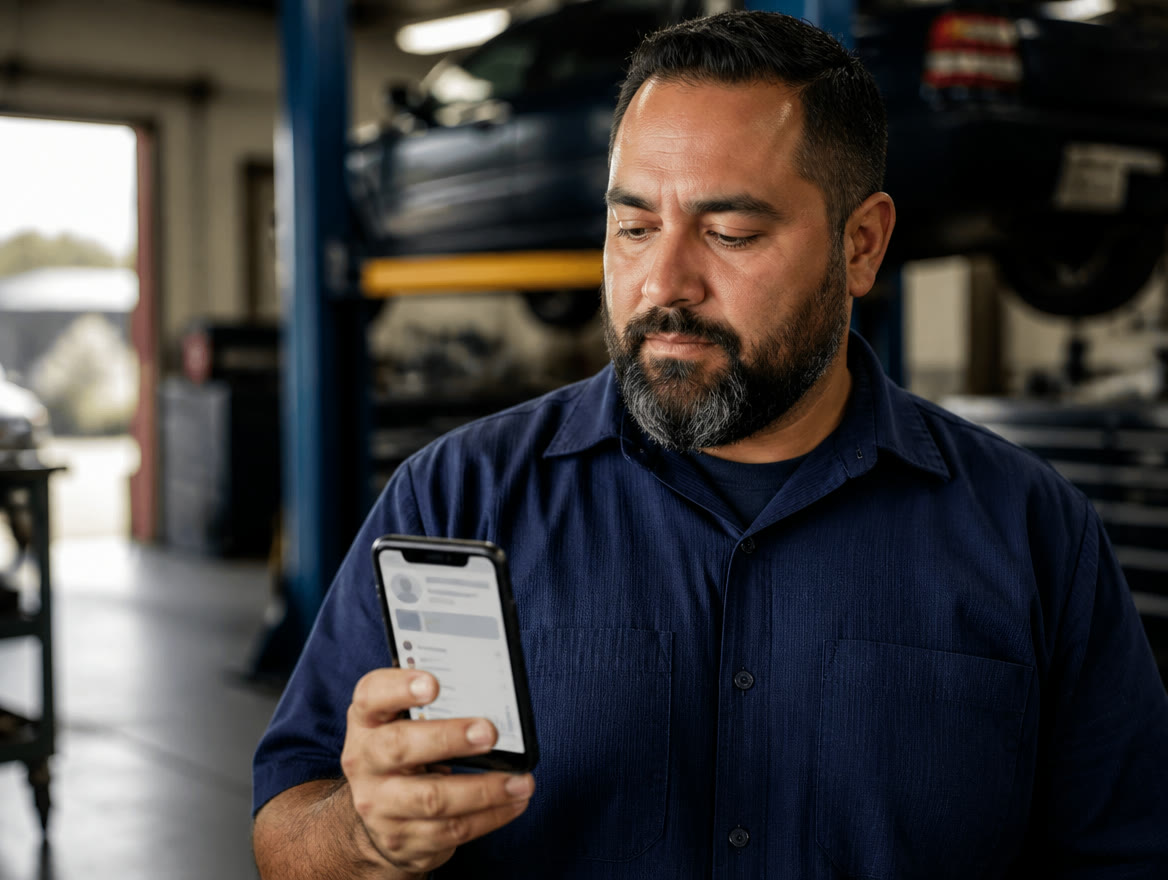
- Auto shops: An AI service advisor books oil changes, diagnostics, brakes and inspections into open bays and answers warranty and shuttle questions, so nobody walks to the phone with greasy hands. It shares the prices you publish and doesn’t invent quotes. See how auto shops stop losing calls in the bay.
- Contractors and home services: The AI receptionist captures the address, system and symptoms and books a service call into an open slot, while assigning routes and trucks stays with your dispatcher. A gas smell, flooding or no heat in a freeze is booked as an emergency, and your on-call tech is paged. Because in local services the first company to respond usually wins the job, an HVAC contractor can put the AI to work as an after-hours answering service for emergency calls.
- Vet clinics: The AI receptionist books wellness, vaccine and sick visits, takes messages while the team is in surgery and captures refill requests for the doctor. Emergencies such as bloat, poisoning or seizures go to your 24-hour partner hospital, and it never gives veterinary advice. See how a veterinary answering service covers surgery and after-hours calls.
- Hotels: There’s no hotel edition, so ask Lone Star or request a Talos demo to see how Talos Connect fits your property. The general skills still apply: answers on hours, parking and policies from your knowledge base, messages as tasks and transfers to the front desk.
- Flower shops: There’s no florist edition either, but during holiday rushes the AI answers delivery-area questions and turns each order inquiry into a task so a designer can call back.
Is Talos Connect a bilingual virtual receptionist for Spanish and Vietnamese callers?
Yes. Its AI receptionist speaks English, Spanish and Vietnamese, and whichever of the three a caller uses, your team still gets the transcript and summary.
It switches to Spanish from the caller’s first words, so nobody waits for a bilingual staff member to be free.
For example, at a Dallas / Ft. Worth vet clinic, a pet owner could book a vaccine visit in Vietnamese, and the front desk reads the summary afterward.
When you request a live demo, ask to hear a call in each of the three languages before you decide.
Who sets up Talos Connect, and how does it fit with your Lone Star account?
Talos Automation’s team sets it up remotely, with no site visit needed to go live, and Talos says most businesses are configured in days. Setup runs in five steps:
- 1. One conversation: Your hours, services, staff, call routing and what counts as an emergency.
- 2. Edition and AI training: Talos configures your industry edition and the AI receptionist’s knowledge base.
- 3. Number porting: Talos ports your local and toll-free numbers and handles the carrier paperwork. It typically takes several business days, and your numbers keep working throughout.
- 4. Phones and training: Desk phones ship pre-configured, many SIP desk phones can be reused, and Talos trains your team over video.
- 5. Tuning: Listen to real calls, adjust the AI’s answers, and change hours, holidays and ring groups yourself.
| Task | Who handles it |
|---|---|
| Setup, phones, AI training and CRM connections | Talos Automation |
| Talos Connect billing, orders and support | Talos Automation, in the Talos Connect portal |
| Card processing, statements and payment hardware | Lone Star Payments, on your merchant account (no integration with Talos Connect) |
| Whether Talos Connect fits your setup | Lone Star Payments: call (214) 838-1818 |
Which CRMs and apps does Talos Connect send data to?
Records travel one way, from Talos Connect to the CRM, team chat or automation app you already use, and nothing is imported from your CRM. The Talos team, not you, sets up each connection, sends a test record and turns it on.
What travels: new contacts, calls with their AI summary (including calls the AI answers), booked appointments, new leads and missed-call alerts. Here’s what each app receives, per Talos’s integrations page:
| App | What it receives |
|---|---|
| HubSpot | Contacts, calls, meetings and notes |
| Salesforce | Contacts or leads, call tasks and events (needs an edition with API access) |
| GoHighLevel | Contacts, notes, appointments and opportunities |
| Pipedrive | People, call and meeting activities, leads and deals |
| Zoho CRM | Contacts or leads, call records, events and notes |
| Close | Contacts, call activities, notes and opportunities |
| monday.com and Airtable | Items on the CRM boards, or records in the base, that you choose |
| Slack | New leads, bookings and missed calls in your team’s channel |
| Zapier, Make and n8n | Records for your own automations (Zapier’s trigger needs a paid Zapier plan) |
You choose full detail with AI summaries, minimal detail (names, numbers and times), or alert-only messages for Slack and the automation apps. Failed sends retry automatically, and connections are re-tested daily. Talos Connect isn’t affiliated with or endorsed by these apps.
Is Talos Connect’s AI phone answering service a better fit than voicemail or live operators?
If your calls now go to voicemail or a live answering service, here’s how those typically compare with Talos Connect:
| Question | Voicemail | Live answering service | Talos Connect |
|---|---|---|---|
| Who answers? | A recorded greeting | Live operators; hours and coverage vary by provider | The AI receptionist, on the schedule you set, with transfer to your staff |
| What happens on the call? | A message, if the caller leaves one | A message is taken and passed along | Appointments booked, orders taken, urgent calls routed |
| Several calls at once? | Each caller hears the greeting | Limited by staffing | Yes |
| Your number | Stays with your current carrier | You forward calls or port your number to it | Ported by Talos Automation |
| What your team gets afterward | A recorded message | A relayed message | A full write-up and follow-up tasks on the customer’s timeline |
| Languages | Your greeting’s language | Varies by provider | English, Spanish and Vietnamese |
| Difficult, emotional calls | Not handled live | Strong | Hands off to a person |
| Phone system | Your current service | Separate; you keep your own | It is the phone system; the AI receptionist is an add-on |
Many businesses end up with a blend: staff answer during the day, and an AI phone answering service covers after hours and overflow. Answering services vary widely, so get any provider’s current plans in writing. Our AI answering service guide compares all three options in vendor-neutral terms before covering the one Lone Star offers.
When isn’t Talos Connect the best phone system for small business?
When your calls need something it doesn’t do, or doesn’t do yet. Look elsewhere, or ask more questions first, if:
- You want live people answering. Talos doesn’t provide live operators: the AI answers and hands calls to your own staff.
- You only want an answering layer on your current phone service. Talos Connect is the phone system itself: Talos ports your numbers to its own platform, so you’d be moving your phone service, not just adding an AI.
- Your phones must connect to practice, shop or field-service software today. Those integrations are on Talos’s roadmap, not live.
- You book in Google Calendar, Outlook or Calendly. There’s no connection, so bookings land on the Talos Connect calendar instead.
- Phone orders must drop straight into your POS. Today they land on the Talos Connect order board, and staff key them in.
- Advanced enterprise phone features come first. A platform built around them may fit better.
- You choose when Talos Connect’s AI virtual receptionist answers: every call, only after hours, or when nobody on your team picks up.
- The AI answers only from the knowledge base you approve, never guesses hours, prices or availability, and hands emergencies to a person.
- Talos Connect’s restaurant edition takes pickup orders from your live menu and books tables, large parties and private events.
- Bookings and phone orders stay in Talos Connect (no Google Calendar, Outlook or POS connection today), and Talos Automation, not Lone Star, sets it up, bills for it and supports it.
Frequently asked questions
Can I keep my business phone number with Talos Connect?
Yes. Talos Automation’s team ports your existing local and toll-free numbers to Talos Connect, so customers keep calling the number they already know. Timing depends on the carriers involved. Need another number? You can also add new local numbers by area code, where available, or toll-free numbers.
Does Talos Connect’s AI receptionist tell callers it’s an AI?
It introduces itself as a virtual assistant and says it’s an AI whenever a caller asks, then offers a person. Callers can ask for a person at any time: during office hours it transfers the call, and when you’re closed it takes a detailed message for your team. Talos’s reasoning is practical: being upfront builds trust, and some states regulate undisclosed AI voice calls.
What is the best AI receptionist for a small business?
The one that fits how your calls actually go. Look for one that answers only from information you approve, books appointments during the call and writes up every call. Talos Connect does all of that on its own phone system. If your callers need a language it doesn’t speak, or you need live human operators or deep practice-management integration today, compare other options and confirm what matters with each vendor.
Is Talos Connect a phone answering service for small business or a full phone system?
It’s a full phone system with the answering built in. Talos Connect isn’t an add-on for another carrier’s lines: Talos ports your numbers to its own platform, and the AI receptionist answers on those lines. Seats include extensions with voicemail and the mobile and desktop apps, and the platform adds desk phones, ring groups, call queues, auto attendants and conference bridges, so it works as a multi-line phone system.
Who bills for Talos Connect, and how is it priced?
Talos Automation does the billing. Lone Star Payments offers Talos Connect but doesn’t install, configure, bill or support it. Talos prices it per user and per add-on, with the AI receptionist as one of the add-ons, and new services appear under Billing in your Talos Connect portal. For current pricing, request a live demo at connect.talosautomation.ai and ask for the plan in writing.
Does Talos Connect connect to my POS or card processing?
No. Talos Connect has no integration with Lone Star’s card processing or your POS, and your processing stays on your Lone Star account. POS integrations are on Talos’s roadmap; today staff key phone orders in from the Talos Connect order board. Still choosing a POS? Read how to choose a restaurant POS.
Can medical and dental offices use Talos Connect?
Yes. Talos offers editions for medical offices and dental practices, and a Business Associate Agreement is part of onboarding for healthcare clients in every state. Talos says the platform is designed to support HIPAA-conscious workflows, including access controls, audit logs and minimum-necessary messaging, and that compliance is a shared responsibility. CRM connections default to minimal detail for healthcare clients. EHR and practice-management integrations are on the roadmap, not live.
What happens to Talos Connect calls if our internet goes down?
Talos Connect calls can fail over to the mobile apps or forward to another number, and the AI receptionist can keep answering because it runs in the cloud. Settle that backup routing with Talos Automation’s team during onboarding, alongside your open, closed and holiday routing.
Want To Hear Talos Connect Answer Your Calls?
Call Lone Star at (214) 838-1818 to ask whether Talos Connect fits next to your Lone Star setup, or request a live demo from Talos Automation built on your own call flow, hours and services. Talos says a person replies within one business day.