Clover Go.
Clover in your pocket — a card reader and app that turns your phone into a terminal.
Built For You, Configured By Us.
Clover Go brings chip, tap, and swipe to your phone or tablet, with the same clean Clover reporting behind it.
Perfect for mobile pros, market stalls, and as a backup lane for busy counters.
- ★EMV, tap & mobile wallet readyEvery terminal accepts chip, contactless tap, and Apple Pay / Google Pay out of the box — meeting customers where they already pay and lifting authorization rates.
- ★P2PE encryption end to endCard data is encrypted at the read head and never exposed in the clear, shrinking your PCI scope and protecting you from the cost of a breach.
- ★Overnight replacement programIf a device fails, a preconfigured replacement is on its way overnight — your lane is never down for a shipping cycle waiting on a fix.
- ★Hardware matched to your businessWe recommend secure, modern devices for your workflow and help with setup and training.
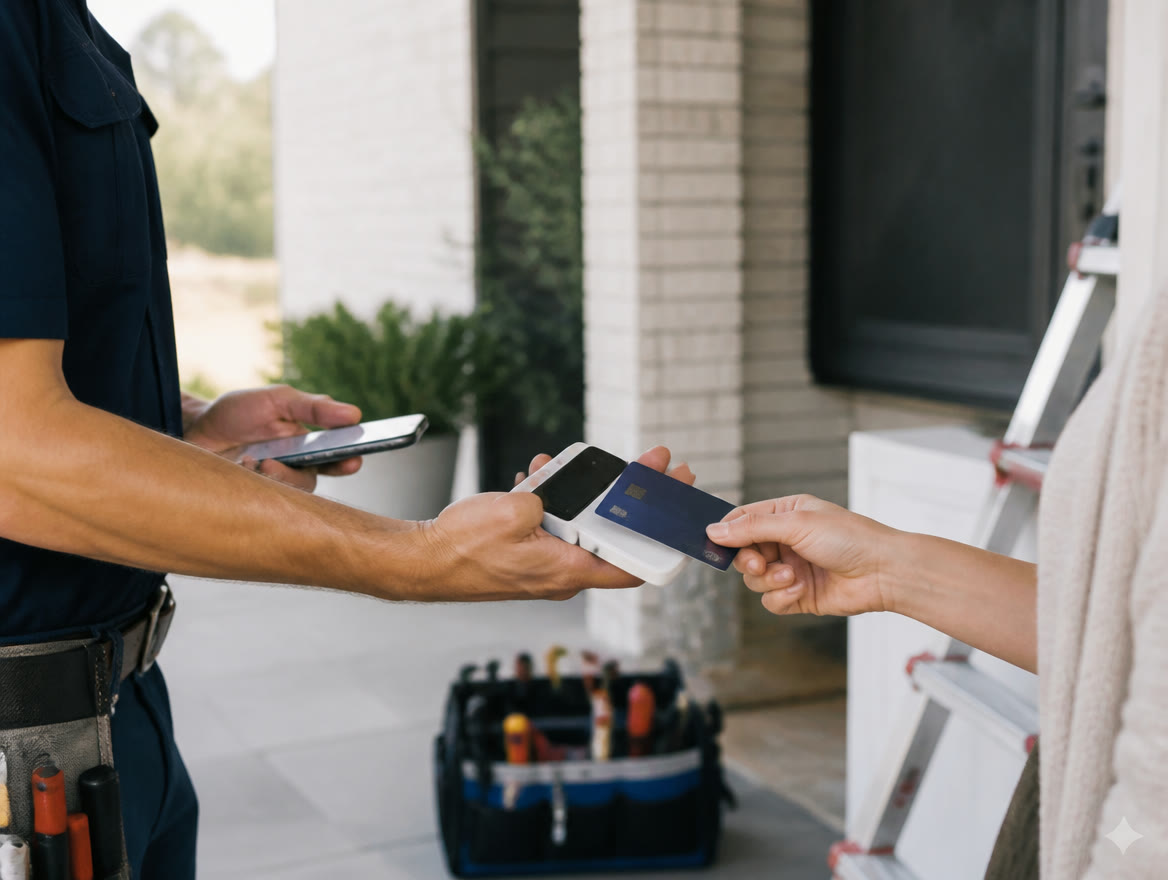
The Clover That Fits In Your Pocket.
Clover Go is a compact card reader that pairs with your phone or tablet to take tap and dip payments through the Clover platform. It’s the mobile end of the Clover family: same account, same reporting, same back office as a Clover station on your counter — shrunk to something that rides in a pocket or a toolbox. It fits contractors, mobile services, market vendors, and any counter-based business that sometimes sells away from the counter.
The Texas use case writes itself: an HVAC tech collects at the kitchen table in Frisco instead of mailing an invoice, a boutique takes cards at a Canton trade day, a food trailer works a Friday night line. Because Go lives on the Clover platform, those road sales land in the same reporting as everything else — no second account, no separate statement, no Sunday night spent reconciling two systems into one honest number.
A payment collected at the job site is a payment you don’t chase: card-on-the-spot beats invoice-in-the-mail every time cash flow matters.
Problems It Solves
- ★Field jobs end with “we’ll mail you an invoice” and a 30-day wait
- ★Pop-ups and markets run on a separate reader with a separate statement
- ★Techs and crews have no way to take a card at the door
- ★Mobile sales never reconcile cleanly with in-store reporting
How We Deploy It
- ★Paired, tested, and tied to your Clover account by our Dallas / Ft. Worth team before your first job — see our Clover Go page
- ★Field-workflow setup for service businesses, drawing on our mobile payments for field service guide
- ★Same day funding available so road sales hit the bank on your schedule
- ★Dallas / Ft. Worth-based support and fast replacement readers if one walks off a job site
Clover Go Questions, Answered
Do I need a full Clover system to use Clover Go?
No — Go can run standalone with just the app and reader. But if you already have Clover at the counter, Go joins the same account, which is the real magic: one statement, one reporting portal, whether the sale happened in your Dallas / Ft. Worth storefront or a customer’s driveway in Allen.
What does Clover Go need to work in the field?
A smartphone or tablet with the Clover app and a signal — cellular or Wi-Fi. Transactions run through your phone’s connection. For crews working rural Texas routes with spotty coverage, we’ll talk honestly about where a store-and-forward workflow does and doesn’t make sense.
Is a phone reader safe for taking cards?
Yes — Clover Go uses the same encryption standards as countertop hardware, and card data isn’t stored on your phone. If you want the deeper story on how modern readers protect card data, our tokenization and P2PE guide covers it in plain English.
Explore Hardware
Ready To See It In Action?
Call (214) 838-1818 and a specialist will walk you through the right setup for your business.