Virtual terminal credit card processing lets you key a customer’s card into a secure web page instead of swiping it, which is how most businesses take card payments over the phone or by mail. It costs more than a swipe because the card isn’t present: Visa’s 2026 schedule charges 1.65% + $0.15 on a keyed exempt-debit sale versus 0.80% + $0.15 in person, so the setup details matter.
What is virtual terminal credit card processing?
Virtual terminal credit card processing is a browser-based screen, supplied by your payment gateway or processor, where you type in a customer’s card number, expiration date, security code and billing ZIP to charge the card. There’s no hardware: any computer or tablet with an internet connection becomes a card terminal.
The card networks call these card-not-present transactions, and phone and mail sales specifically are MOTO (mail order / telephone order) payments. Online checkout is card-not-present too, but there the customer types their own card details. In a virtual terminal, someone on your staff does the typing, which changes the cost, the fraud risk and your security obligations.
Most gateways bundle the virtual terminal with tools that make office billing easier: saved customer profiles (stored as tokens, not card numbers), recurring billing schedules, emailed receipts and a transaction history you can search and refund from. The NMI gateway and Authorize.net both work this way, and so does SwipeSimple for smaller shops.
This article is general information for merchants, not legal advice, and we are not a law firm. Card-brand rules, PCI DSS requirements, chargeback rules and state law all change. Confirm how they apply to your business with your processor, a qualified security assessor or an attorney.
How do you take credit card payments over the phone?
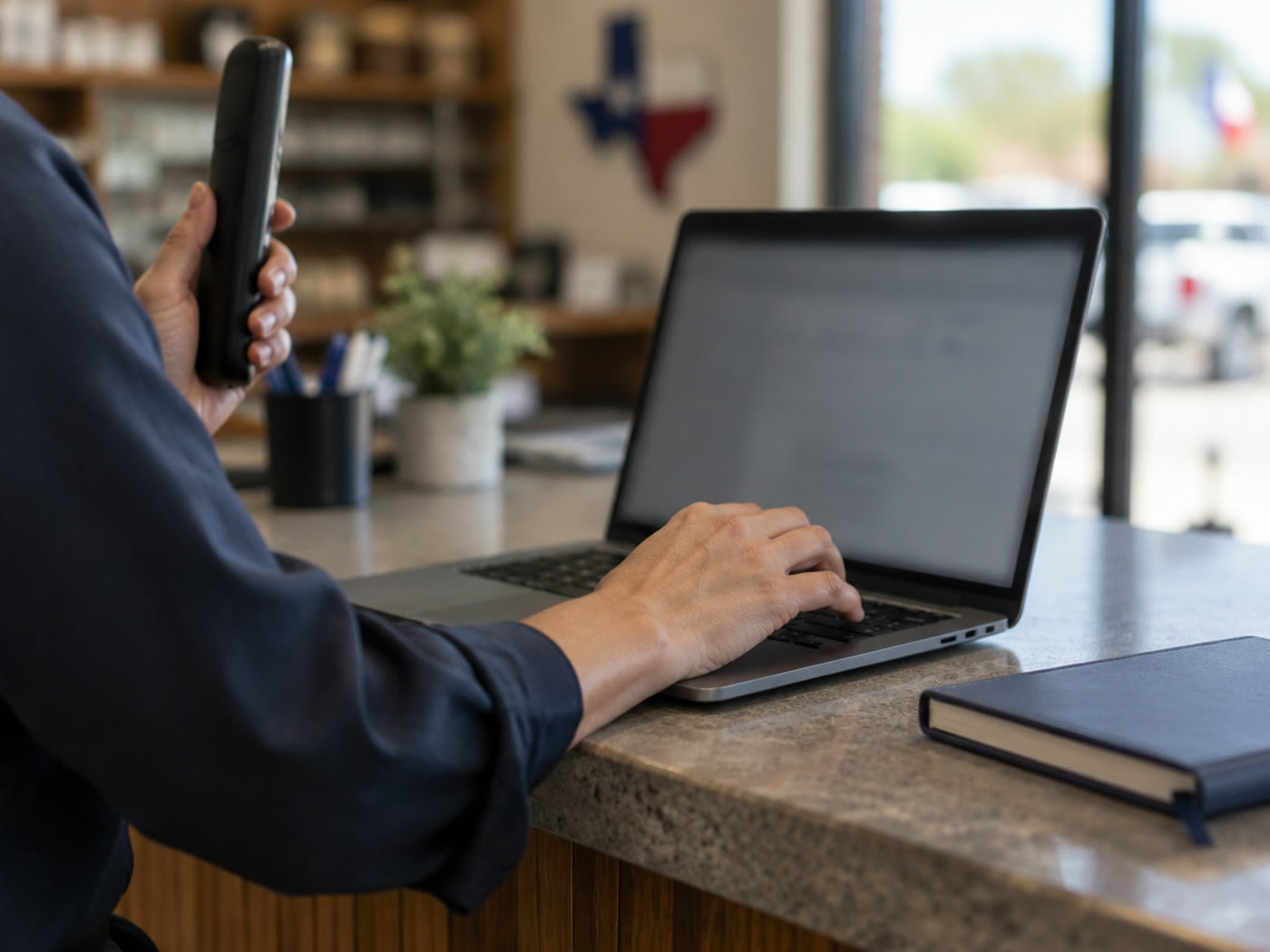
To take a credit card payment over the phone, open your virtual terminal while the customer is on the line, type the card details straight into it, run the charge and read back the approval. The card number should go from the caller’s mouth to the encrypted form and nowhere else: no sticky notes, no order pads, no spreadsheet.
A clean phone-order routine looks like this:
- Confirm the order first. Read back the items, the total including tax and delivery, and the date of service before you ask for a card.
- Key the card live. Enter the card number, expiration and security code directly into the virtual terminal. Never write them down to enter later.
- Always collect the billing ZIP and street address. Address verification (AVS) is how the issuer checks the caller knows the cardholder’s billing address, and it affects both your rate and your chargeback defense.
- Capture the order details in the record: the customer’s name, phone, email, what was ordered and when it ships or is picked up. Most virtual terminals have description and invoice fields for this.
- Send the receipt by email from the terminal, so the customer has proof and your descriptor makes sense on their statement.
- Refund to the same card through the terminal, never by cash or check, so your records reconcile.
Write a two-line script for whoever answers the phone: “I’ll enter your card directly into our secure system while we talk. Can I have the billing ZIP code and street number on the card?” Customers relax when they hear the process, and staff stop improvising.
How much does virtual terminal credit card processing cost?
Virtual terminal credit card processing costs more per sale than a swiped or tapped card because the networks charge a higher interchange rate when the card isn’t present. Interchange is the largest part of every card fee and is the same at every processor (our guide to credit card processing costs breaks down all three fee layers). On top of interchange you’ll pay card-brand assessments and your processor’s markup, and some gateways add a monthly fee and a per-transaction gateway fee.
Here’s what Visa publishes for a consumer debit card issued by an exempt (smaller) bank, from the Visa USA Interchange Reimbursement Fees schedule effective October 24, 2026:
| How the sale is taken | Visa fee program | Interchange | On a $100 sale |
|---|---|---|---|
| Card dipped or tapped at the counter | CPS/Retail | 0.80% + $0.15 | $0.95 |
| Card keyed in at the counter | CPS/Retail Key Entry | 1.65% + $0.15 | $1.80 |
| Phone or mail order in a virtual terminal | CPS/Card Not Present | 1.65% + $0.15 | $1.80 |
| Sale that misses the qualification data | Standard | 1.90% + $0.25 | $2.15 |
The gap is real: on this card type, the same $100 sale costs nearly twice as much in interchange over the phone as it does at the counter. Debit cards from large, regulated banks are the exception. Their interchange is capped by the Federal Reserve’s Regulation II and Visa lists the same 0.05% + $0.21 whether the card is present or not. Credit cards follow the same pattern as exempt debit, with a Non-Qualified Consumer Credit bucket at 3.15% + $0.10 for sales that don’t meet Visa’s program requirements.
Worked example: a catering company that keys $20,000 a month in phone orders and loses qualification on 10% of them, through missing billing addresses, pays the higher bucket on $2,000 of volume every month. Fixing the data (collecting the address every time) costs nothing and keeps those sales in the cheaper program.
Flat-rate providers often charge a separate, higher “keyed-in” rate than their swipe rate, and some processors quietly bill every phone order as a non-qualified sale. Pull one month’s statement and compare your keyed volume with the fees charged on it; our walkthrough on how to read your merchant statement shows where to look.
Virtual terminal vs. card reader vs. online checkout: which should you use?
Use a virtual terminal only when the customer and the card genuinely can’t be in front of you. If the customer is standing at your counter or your tech is in their driveway, a card reader is cheaper and safer, because a dipped or tapped chip card qualifies for card-present rates and the chip protects you from counterfeit fraud. If the customer is ordering from your website, let them type their own card into an online checkout.
The usual split for a small business looks like this:
- Counter and in-person sales: a countertop or smart terminal. Keying a card by hand at the counter costs as much as a phone order and loses chip protection, so treat it as a last resort.
- Field work: a mobile reader with the tech, so the card is present at the job. Our guide to taking payments in the field explains why calling the office with a card number is the leak to plug.
- Phone and mail orders, deposits and over-the-phone balances: the virtual terminal.
- Website orders: a hosted checkout through your gateway, covered in how to accept payments online.
- Repeat billing: the gateway’s recurring billing or saved customer profiles, so you charge a stored token instead of asking for the card every month.
Make sure the virtual terminal and your counter terminal settle into the same merchant account. One account means one statement, one deposit schedule and one place to reconcile, instead of a second processor you forget to review.
Is it safe to take credit card payments over the phone?
Taking credit card payments over the phone is safe when the card details go straight into an encrypted virtual terminal and are never written down, saved in notes or captured on a call recording. The risk in phone payments is almost never the virtual terminal itself; it’s the paper, the inbox and the recording around it.
The PCI Security Standards Council is explicit about the security code on the back of the card. Merchants may ask for it to authorize a phone or mail order, but PCI DSS Requirement 3.3.1.2 prohibits storing it after authorization, even if encrypted. That means it can’t sit in a call recording, an email or a notepad either. The Council’s information supplement on protecting telephone-based payment card data covers call recordings and call-center setups in detail.
In practice, small businesses get this right with a few habits:
- Pause or disable call recording while the card number and security code are spoken, or confirm your phone system doesn’t record those lines.
- Give each staff member their own virtual terminal login with only the permissions they need (for example, sale but not refund), and turn off logins the day someone leaves.
- Never accept card numbers by email or chat. Ask the customer to call instead.
- Store customers as tokens in the gateway, not as card numbers in your CRM or spreadsheet. Our guide to tokenization and P2PE explains how tokens keep card data out of your systems.
- Complete the right PCI questionnaire. Phone-order merchants usually fall under a different self-assessment than a counter-only shop; our PCI compliance guide walks through the SAQ types.
Who pays when a phone order turns out to be fraud?
On a card-not-present sale, the merchant usually absorbs the loss when the real cardholder disputes a charge they didn’t make. The chip-card liability shift that protects you at the counter doesn’t apply, because there is no chip in a phone call. A correct address and security code match helps the authorization and gives you evidence for a dispute, but it does not move the liability to the bank.
Fraud on phone orders tends to follow a pattern: a rushed caller, a large first order, shipping to an address that doesn’t match the billing address, or a request to split the total across several cards. None of those prove fraud on their own, but together they’re a reason to slow down. Our chargebacks guide covers reason codes and how to answer a dispute.
- Decline or call back on AVS and security-code mismatches instead of overriding them to save the sale.
- Call the customer back at a number you can verify before shipping a large first order.
- Keep proof of delivery or pickup (signature, photo, tracking) attached to the transaction record.
- Use a clear billing descriptor and business phone number so customers recognize the charge instead of disputing it.
Card networks track your dispute ratio and can put a merchant into a monitoring program with fines if chargebacks climb. A small business that suddenly starts taking a lot of phone orders should watch its dispute count every month, not just at year end.
Which businesses need a virtual terminal for small business payments?
Any small business that takes payment from customers who aren’t in the room needs a virtual terminal. That covers far more businesses than call centers:
- Restaurants and caterers taking deposits for events, large carry-out orders and gift card sales over the phone (see our restaurant payment solutions).
- Contractors and home-service companies collecting deposits and balances from customers who weren’t home when the job finished.
- Florists, bakeries and gift shops taking delivery orders by phone, often for a recipient at a different address.
- Auto shops charging a customer who approved a repair by phone and is picking up after hours.
- Professional offices billing retainers, invoices and payment plans.
- B2B suppliers charging repeat customers who call in orders, often with stored tokens and recurring schedules.
If your phone orders are growing, the bottleneck often isn’t the payment at all; it’s whether anyone answers the call. Lone Star Payments offers Talos Connect, a cloud business phone system with an AI receptionist from Talos Automation, LLC, for businesses that miss calls during the rush or after hours. Its cloud business phone features are set up and supported by the Talos Automation team. It doesn’t connect to your card processing: your staff still takes the card in the virtual terminal, on your Lone Star account.
A note for Texas merchants taking phone orders
Texas rules on card fees apply to phone orders exactly as they do at the counter. Texas Finance Code §339.001 bans surcharges, and although the Rowell v. Paxton litigation produced a ruling against the ban for merchants who truthfully disclose, enforcement postures can change, so confirm the current status with an attorney. Our guide to surcharge rules for Texas merchants covers the details.
If you run a dual pricing program, quote the card price on the phone and show both prices on the emailed receipt, so the phone order matches what customers see in your store. Don’t add a “phone order fee” at the terminal; if it works like a surcharge, it is one.
Phone orders look different across the state. For example, picture a Houston caterer taking a deposit for a corporate lunch, a San Antonio bakery taking a cake order for delivery across town, or an Austin contractor collecting a final balance from a homeowner who’s at work. Lone Star Payments sets up virtual terminals with on-site training across Dallas / Ft. Worth and remote setup statewide, including for merchants we support through our pages on merchant services in Houston, Dallas, Fort Worth, San Antonio and Austin.
How to choose a virtual terminal provider
Choose a virtual terminal by what it costs on your mix of phone and counter sales and how well it fits your office workflow, not by the headline rate. Ask every provider the same questions:
- “What is my rate on a keyed phone order, and is it different from my swipe rate?” Get it in writing, by card type.
- “Is there a monthly gateway fee or a per-transaction gateway fee?” These are separate from processing and add up on small tickets.
- “Does the terminal require billing address and security code by default?” It should, so staff can’t skip them.
- “Can I save customers as tokens and set up recurring billing?”
- “Can I set user permissions and see who ran each sale and refund?”
- “Does it settle to the same merchant account and deposit schedule as my counter terminal?”
Lone Star Payments sets up NMI, Authorize.net and SwipeSimple virtual terminals on the same account as your in-store processing, and reviews your current statement first so you can see what your keyed sales are costing today.
Before you switch anything, export last month’s keyed transactions and count how many were missing a billing address. That one number tells you how much you can save just by fixing the process, before you negotiate a single rate.
- A virtual terminal is a secure web page for keying card payments, and it’s the standard way to take credit card payments over the phone or by mail.
- Keyed phone orders cost more: Visa’s 2026 schedule lists 1.65% + $0.15 card-not-present versus 0.80% + $0.15 card-present on exempt debit.
- Always collect the billing address and security code; missing data pushes sales into pricier buckets and weakens your chargeback defense.
- PCI DSS prohibits storing the security code after authorization, so keep card details out of notes, emails and call recordings.
- Use the virtual terminal only when the card can’t be present; dip or tap every card that can.
Frequently asked questions
What is a virtual terminal in credit card processing?
A virtual terminal is a secure, browser-based screen from your payment gateway or processor where you type in a customer’s card details to charge them. It turns any computer into a card terminal for phone, mail and other card-not-present payments, and usually includes saved customer tokens, recurring billing, emailed receipts and refunds.
How do I accept credit card payments over the phone?
Open your virtual terminal while the customer is on the line, key the card number, expiration, security code and billing address directly into it, run the charge and email the receipt. Don’t write the card number down to enter later, and pause any call recording while the card details are spoken.
Are virtual terminal fees higher than swiping a card?
Usually, yes. Card networks charge higher interchange on card-not-present sales because the fraud risk is higher. On Visa’s schedule effective October 24, 2026, an exempt consumer debit card costs 1.65% + $0.15 keyed over the phone versus 0.80% + $0.15 dipped or tapped in person, before assessments and markup.
Is it legal to take credit card payments over the phone?
Yes. Phone and mail order (MOTO) payments are a standard card-not-present transaction type that every major card network supports. You must follow PCI DSS, which allows you to collect the security code to authorize the sale but prohibits storing it afterwards, and you must follow your state’s rules on card fees.
Can I save a customer’s card for future phone orders?
Yes, if you save it as a token in your payment gateway rather than writing down or storing the card number yourself. The gateway keeps the card data and gives you a reference you can charge again. You can’t keep the security code; recurring and card-on-file charges don’t need it.
Who is responsible for fraud on a phone order?
On card-not-present sales, the merchant usually bears the loss when a real cardholder disputes a charge they didn’t make, because the chip-card liability shift doesn’t apply. Address and security-code matches help the authorization and give you evidence for the dispute, but they don’t move liability to the bank.
Want to Know What Your Phone Orders Really Cost?
Send us one month’s merchant statement and we’ll show you your effective rate, what your keyed sales cost compared with your counter sales, and what dual pricing would save — no obligation, no sales script.